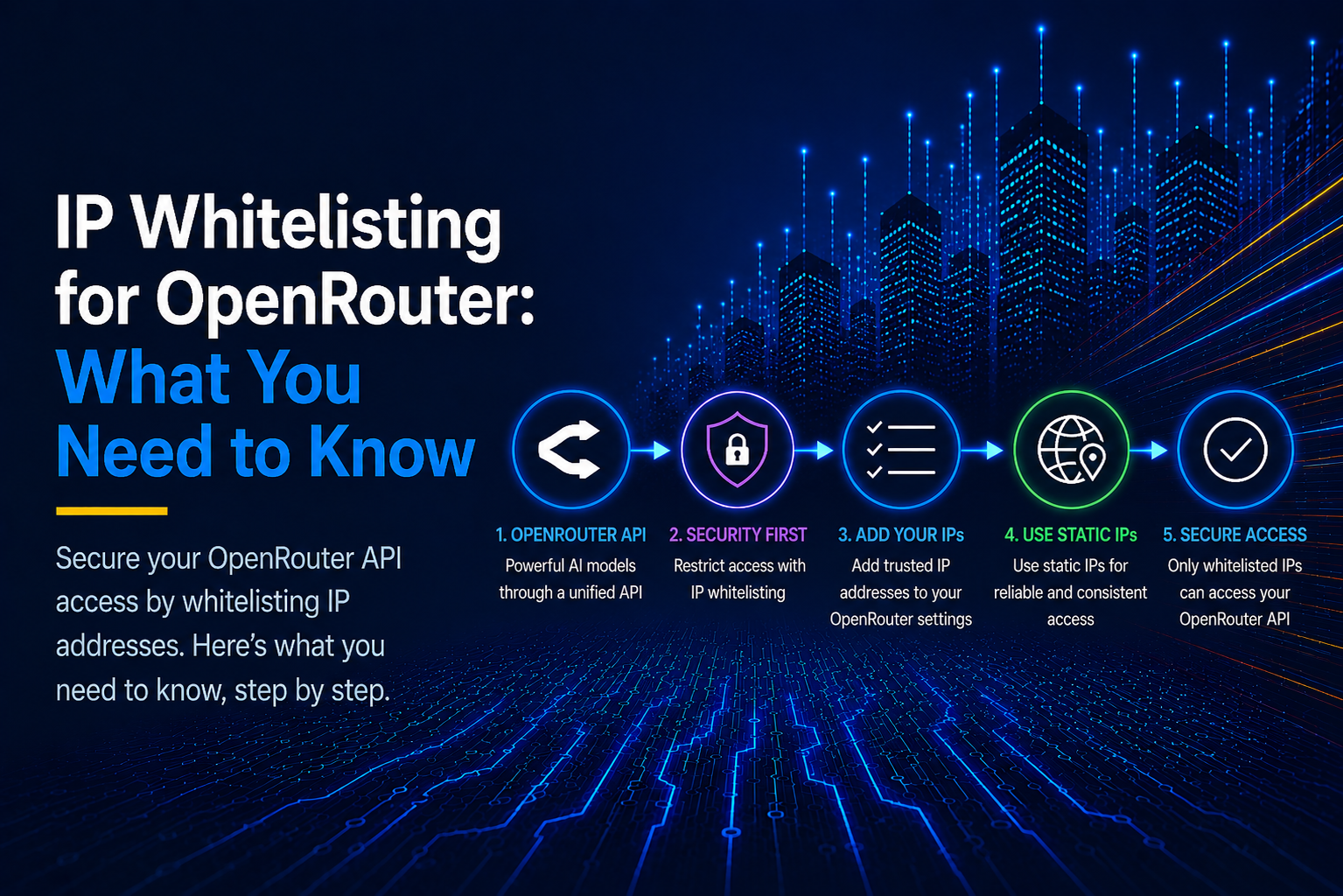
Setting up static IPs for OpenRouter prevents the mysterious 403 error that brings your data sync and application features to a sudden standstill. You trace the logs, expecting a broken payload or an expired token, only to find the root cause deep in the network layer.
This is because platforms like Heroku and AWS route outbound traffic through constantly rotating, shared IP address pools; a single automated restart can land your app on a flagged IP or an untrusted network block, triggering an immediate security wall.
However, routing your outbound traffic through a dedicated static egress IP provides a consistent and reliable identity for your application. This article guides you through setting up a static egress IP for OpenRouter.
Key Takeaways
- Static IPs for OpenRouter requests are more secure than cloud providers' dynamic egress IPs for direct connections. Static IPs are safer because they give your workloads a fixed network identity, which is exactly what IP whitelisting depends on.
- OpenRouter's IP whitelisting is set globally, so it determines which IPs can access its services.
- OpenRouter's allowlisting is a guardrail feature that obfuscates IPs and other sensitive information during prompt injection attempts.
- Easily set up static IPs for your OpenRouter workflows with minimal setup using OutboundGateway.
Table of Contents
- Key Takeaways
- What OpenRouter Is and What It Does
- Making Your First OpenRouter Request
- What IP Whitelisting Means on OpenRouter
- Getting A Stable Egress IP for Your Cloud Environment
- Route OpenRouter Traffic Through a Static EU IP with OutboundGateway
- Lock Your OpenRouter Traffic to an IP You Control
- Frequently Asked Questions (FAQs)
What OpenRouter Is and What It Does
OpenRouter is a unified API gateway that brings different LLM providers into a single interface. Instead of managing individual accounts, SDKs, and billing contracts for OpenAI, Anthropic, Google, and independent hosting providers, developers run all model inference through a single OpenAI-compatible base URL: https://openrouter.ai/api/v1
This means your application maintains a single unified API key and a single billing account. The API mirrors OpenAI's API: same request and response shape, served at https://openrouter.ai/api/v1/chat/completions
Teams adopt OpenRouter for the following reasons:
- Teams can instantly switch to different AI models without rewriting the client code.
- One invoice instead of separate accounts with every provider.
- Fallback routing: If a provider goes down or hits a rate limit, OpenRouter can retry with another provider that serves the same model.
From a networking standpoint, your application servers communicate with exactly one external host. Because your code never opens direct connections to Anthropic's or OpenAI's servers, you do not need to manage updates to IP lists for each underlying model host.
You only need to secure the network path between your servers and OpenRouter. If you can lock down your outbound connections to stable IP addresses from reliable providers like OutboundGateway, you establish a strong security perimeter for all downstream AI workflows.
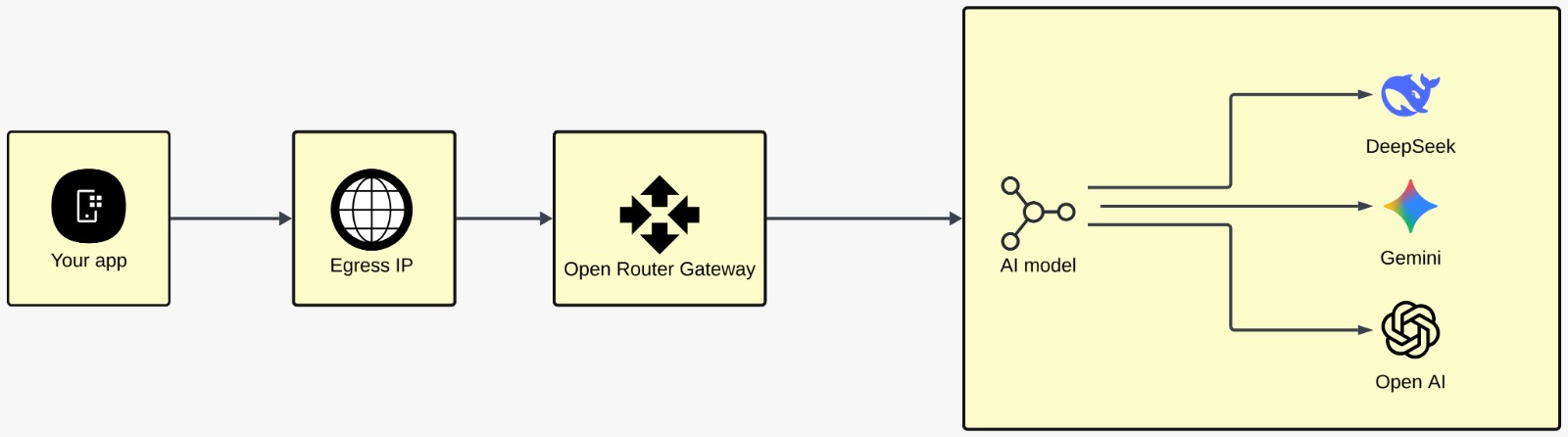
Static egress IP with OpenRouter workflow
Making Your First OpenRouter Request
First, follow the steps below to retrieve your account credentials from OpenRouter:
- Create an OpenRouter account.
- Open the "API Keys" page and click "Create Key".
- Copy the value immediately. OpenRouter shows the full key once.
- Store it in your environment. In Command Prompt on Windows:
set "OPENROUTER_API_KEY=sk...." (Use export on Mac or Linux instead of set.)
Remember to keep the double quotes around the API key to prevent the code from storing trailing spaces, which causes a parse error.
Sending your requests
We used Python for this section; it's the primary language OpenRouter uses in its documentation for requests.
- Read the key from the environment, build the headers, and the test prompt:
import json
import os
import sys

import requests

API = "https://openrouter.ai/api/v1"
MODEL = "google/gemini-2.5-flash"
PROMPT = "In one sentence, what is an egress IP address?"

key = os.environ.get("OPENROUTER_API_KEY")
if not key:
    sys.exit("OPENROUTER_API_KEY is not set. In CMD:  set OPENROUTER_API_KEY=sk-or-v1-...")

headers = {"Authorization": f"Bearer {key}", "Content-Type": "application/json"}
r = requests.get(f"{API}/key", headers=headers, timeout=30)
print(r.json().get("data", {}).get("label", r.text))
- Set up your payload. The model field takes a model identifier. It's advisable to set
max_tokensto manage cost:
payload = {
    "model": MODEL,
    "messages": [{"role": "user", "content": PROMPT}],
    "max_tokens": 100,
}
r = requests.post(f"{API}/chat/completions", headers=headers, json=payload, timeout=90)
data = r.json(
- Print the IP address the request left from:
print(requests.get("https://api.ipify.org", timeout=30).text)
Here's the full script:
import json
import os
import sys

import requests

API = "https://openrouter.ai/api/v1"
MODEL = "google/gemini-2.5-flash"
PROMPT = "In one sentence, what is an egress IP address?"

key = os.environ.get("OPENROUTER_API_KEY")
if not key:
    sys.exit("OPENROUTER_API_KEY is not set. In CMD:  set OPENROUTER_API_KEY=sk-or-v1-...")

headers = {"Authorization": f"Bearer {key}", "Content-Type": "application/json"}

print("--- key check (free, isolates a bad key from a bad request) ---")
r = requests.get(f"{API}/key", headers=headers, timeout=30)
print(r.json().get("data", {}).get("label", r.text))

print("\n--- full response ---")
payload = {
    "model": MODEL,
    "messages": [{"role": "user", "content": PROMPT}],
    "max_tokens": 100,
}
r = requests.post(f"{API}/chat/completions", headers=headers, json=payload, timeout=90)
data = r.json()
print(json.dumps(data, indent=2)[:1200])

print("\n--- completion text only ---")
if r.ok and "choices" in data:
    print(data["choices"][0]["message"]["content"])
else:
    print(f"HTTP {r.status_code}:", data.get("error", {}).get("message", r.text))

print("\n--- egress IP OpenRouter sees ---")
print(requests.get("https://api.ipify.org", timeout=30).text)
Run with:
py openrouter_demo_cli.py
Here's the response:
--- key check (free, isolates a bad key from a bad request) ---

sk......

--- full response ---

{

  "id": "gen-1787406218-RBEDFKjR4aUEFOw325sF",

  "model": "google/gemini-2.5-flash",

  "provider": "Google",

  "choices": [ { "finish_reason": "stop", "message": { "role": "assistant",

      "content": "An egress IP address is the public-facing IP address that a device

                  or network uses to send traffic out to the internet." } } ],

  "usage": { "prompt_tokens": 11, "completion_tokens": 29, "total_tokens": 40 }

}

--- completion text only ---

An egress IP address is the public-facing IP address that a device or network uses

to send traffic out to the internet.

--- IP OpenRouter sees ---

198.51.100.0 (your IP will show here)
Note: If you're on macOS or Linux, the following rules apply:
- Run it with python3, not py.
- Set the variable with export:
export OPENROUTER_API_KEY="sk.....". - Installing requests on Ubuntu 24.04 needs a virtual environment.
What IP Whitelisting Means on OpenRouter
IP whitelisting on OpenRouter means OpenRouter configures the IP addresses that are approved to send requests and retrieve information from the platform. Flagged IP addresses, for security or other reasons, can't interact with OpenRouter. It's important to note that clients can't alter OpenRouter's IP whitelist.
Difference between OpenRouter's allowlist and IP whitelist
According to OpenRouter's documentation, the allowlist feature defines terms that should be hidden, or that should block requests if they are found during prompt injection. You configure it under the "Guardrails" section. This implies that when OpenRouter finds a configured term in the prompt, like your IP address, OpenRouter can either replace it with a placeholder before sending the prompt or reject it based on your guardrails.
So, OpenRouter's Allowlist doesn't mean an IP whitelist.
Why use a stable egress IP for OpenRouter?
Companies assign a stable egress IP address to OpenRouter as part of their internal network policy to enhance security. So, if the API keys are leaked, no one outside authorized personnel can make requests.
Also, a cloud provider's shared IP address pool might temporarily suffer from IP abuse. When a shared IP range is flagged, requests may temporarily receive a 403 Forbidden error until the system rotates the IPs or routes the traffic through a static egress proxy.
Getting A Stable Egress IP for Your Cloud Environment
The challenge of keeping a cloud provider's egress IP static is significant. Unless you have explicitly engineered a static outbound network path, your server's public IP address will inevitably change without warning for the following reasons:
| Cloud Platform | Outbound IP Behavior | Outage Risk | Why it changes |
|---|---|---|---|
| AWS Lambda | Dynamic per invocation window | High | When an AWS Lambda function hasn't been used for a while or scaling routes through different physical hypervisors (details). |
| Heroku | Dynamic per dyno restart | High | Daily dyno restarts or scaling actions assign a fresh IP from shared AWS pools. |
| Fly.io / Railway / Render | Dynamic per gateway pool | High | Shared container gateway IPs rotate outbound addresses without notice. |
| Kubernetes | Dynamic per node Container Network Interface (CNI) | High | Pods egress through node public IPs unless you configure a Network Address Translation (NAT) Gateway (details). |
Most teams reach for one of two workarounds:
- Building their own proxy. However, it comes with its own bottleneck: running your own Squid or HAProxy VPS adds significant operational overhead, patching responsibilities, and load-balancing maintenance.
- Using a regulatory-compliant static egress IP provider like OutboundGateway. When you send data to an LLM provider, your prompt payload contains proprietary and potentially sensitive user data. To satisfy Data Processing Agreements (DPAs) and GDPR requirements, your outbound AI requests must be routed through a fixed, auditable geographic perimeter, such as a dedicated, static EU-hosted address.
Route OpenRouter Traffic Through a Static EU IP with OutboundGateway
First, retrieve your proxy details from OutboundGateway via the following steps:
- Create an account on OutboundGateway. You have a 7-day free trial.
- Open "Proxy info" once your account is active. Everything you need is on one screen: plan, region, credentials, and your IP addresses.
- Note the host and port:
<your-proxy-host>:<your-port>for EU Central. - Copy the username and password. These are your proxy credentials.
- Store the username and password as one URL. It's stored in the same environment as your OpenRouter key:
set "OUTBOUND_PROXY=https://yourname:yourpassword@<your-proxy-host>:<your-port>"
Replace yourname and yourpassword with the real values.
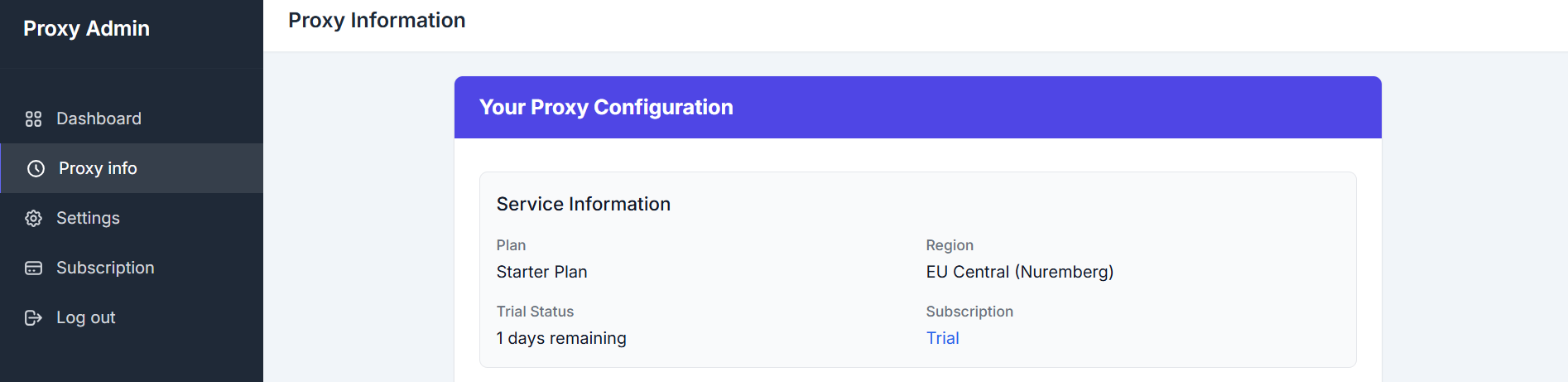
OutboundGateway's dashboard
Point OpenRouter at the static egress proxy
- Set up your models, prompts, and other configurations:
import os
import sys

import certifi
import requests

CA = certifi.where()
MODEL = "google/gemini-2.5-flash"
PROMPT = "In one sentence, what is an egress IP address?"

key = os.environ.get("OPENROUTER_API_KEY")
proxy = os.environ.get("OUTBOUND_PROXY")
if not key or not proxy:
    sys.exit("Set OPENROUTER_API_KEY and OUTBOUND_PROXY first.")
- Create your proxies dictionary. OutboundGateway gives two static IPs for your use case:
proxies = {"http": proxy, "https": proxy}
- Test your proxy configuration by printing your egress address twice, with and without the proxy:
print("--- egress WITHOUT the proxy ---")

print(requests.get("https://api.ipify.org", timeout=30, verify=CA).text)

print("\n--- egress WITH the proxy ---")

print(requests.get("https://api.ipify.org", proxies=proxies, timeout=60, verify=CA).text)
- Send your request via the static IP:
 r = requests.post(
    "https://openrouter.ai/api/v1/chat/completions",
    headers={"Authorization": f"Bearer {key}", "Content-Type": "application/json"},
    json={
        "model": MODEL,
        "messages": [{"role": "user", "content": PROMPT}],
        "max_tokens": 100,
    },
    proxies=proxies,      # <- routes the request
    timeout=90,
    verify=CA,            # <- required on Windows, see below
)
Here's the full script:
import os
import sys

import certifi
import requests

CA = certifi.where()
MODEL = "google/gemini-2.5-flash"
PROMPT = "In one sentence, what is an egress IP address?"

key = os.environ.get("OPENROUTER_API_KEY")
proxy = os.environ.get("OUTBOUND_PROXY")
if not key or not proxy:
    sys.exit("Set OPENROUTER_API_KEY and OUTBOUND_PROXY first.")

proxies = {"http": proxy, "https": proxy}

print("--- egress WITHOUT the proxy ---")
print(requests.get("https://api.ipify.org", timeout=30, verify=CA).text)

print("\n--- egress WITH the proxy ---")
print(requests.get("https://api.ipify.org", proxies=proxies, timeout=60, verify=CA).text)

print("\n--- OpenRouter completion through the proxy ---")
r = requests.post(
    "https://openrouter.ai/api/v1/chat/completions",
    headers={"Authorization": f"Bearer {key}", "Content-Type": "application/json"},
    json={
        "model": MODEL,
        "messages": [{"role": "user", "content": PROMPT}],
        "max_tokens": 100,
    },
    proxies=proxies,
    timeout=90,
    verify=CA,
)
data = r.json()
if r.ok and "choices" in data:
    print(data["choices"][0]["message"]["content"])
else:
    print(f"HTTP {r.status_code}:", data.get("error", {}).get("message", r.text))
If you run the script on Windows without verify=certifi.where(), proxied requests on Python 3.13 with urllib3 1.26 fail with the message: "CERTIFICATE_VERIFY_FAILED: unable to get local issuer certificate".
Run with:
py openrouter_proxy_cli.py
Here's the output:
- -- egress WITHOUT the proxy ---

198.51.100.0

- -- egress WITH the proxy ---

203.0.113.0 (your IP will show here)

- -- OpenRouter completion through the proxy ---

An egress IP address is the public-facing IP address that your network or device

uses to send traffic out to the internet.
The result shows two different addresses. The first is from your ISP or cloud platform, while the second is your static egress IP from OutboundGateway.
Note: Your account has two static IPs, and your proxy address alternates between them at random.
Lock Your OpenRouter Traffic to an IP You Control
To pin your OpenRouter traffic to an IP you control, OutboundGateway offers high-quality static IPs for your use case. With minimal configuration, it offers cloud-agnostic static IPs for your workloads.
Start a 7-day trial with OutboundGateway's premium IPs for your direct traffic connections on OpenRouter.
Built with ❤️ for EU businesses who care about privacy and sovereignty.
Frequently Asked Questions (FAQs)
Can I restrict a single OpenRouter API key to a single IP address?
No, you cannot. There is no OpenRouter API key IP restriction. The IP whitelisting on OpenRouter is configured at the platform level and applies globally to all API keys under an account.
Does a proxy slow down OpenRouter requests?
Using an egress proxy introduces an additional network hop before your request reaches OpenRouter. Separately, OpenRouter itself is designed to add minimal latency on its end, using edge computing via Cloudflare Workers, edge caching of user and API key data, and optimized routing logic that minimizes processing time.
What's the difference between OpenRouter's allowlist and IP whitelist?
OpenRouter's allowlist feature defines terms to be hidden or, if found, should block requests during prompt injection. This implies that if a term set on the allowlist, like your IP address, is found in the prompt, OpenRouter can either replace it with a placeholder before sending the prompt or reject it based on your guardrails. An IP whitelist, on the other hand, contains the IP addresses that are allowed to make requests to OpenRouter.