- Quick Answer (TL;DR)
- What is a static IP address
- What is a dynamic IP address
- Static vs Dynamic IP: Key Differences
- Do you need a static or a dynamic IP
- How do you get a static IP address
- Static vs dynamic IP and data residency
- How to check if you have a static or a dynamic IP
- Choosing the right IP type for your use case
Have you ever had an app ask you to log in again because "your location has changed"? This is common when you have a dynamic IP address (an IP address that keeps changing). If you're an engineer building applications, this could also break your API access or remote server login, because your whitelisted IP address might change. In this blog, we break down what a static IP is vs. a dynamic IP, what works best under different scenarios, and how to get a static IP when needed.
Quick Answer (TL;DR)
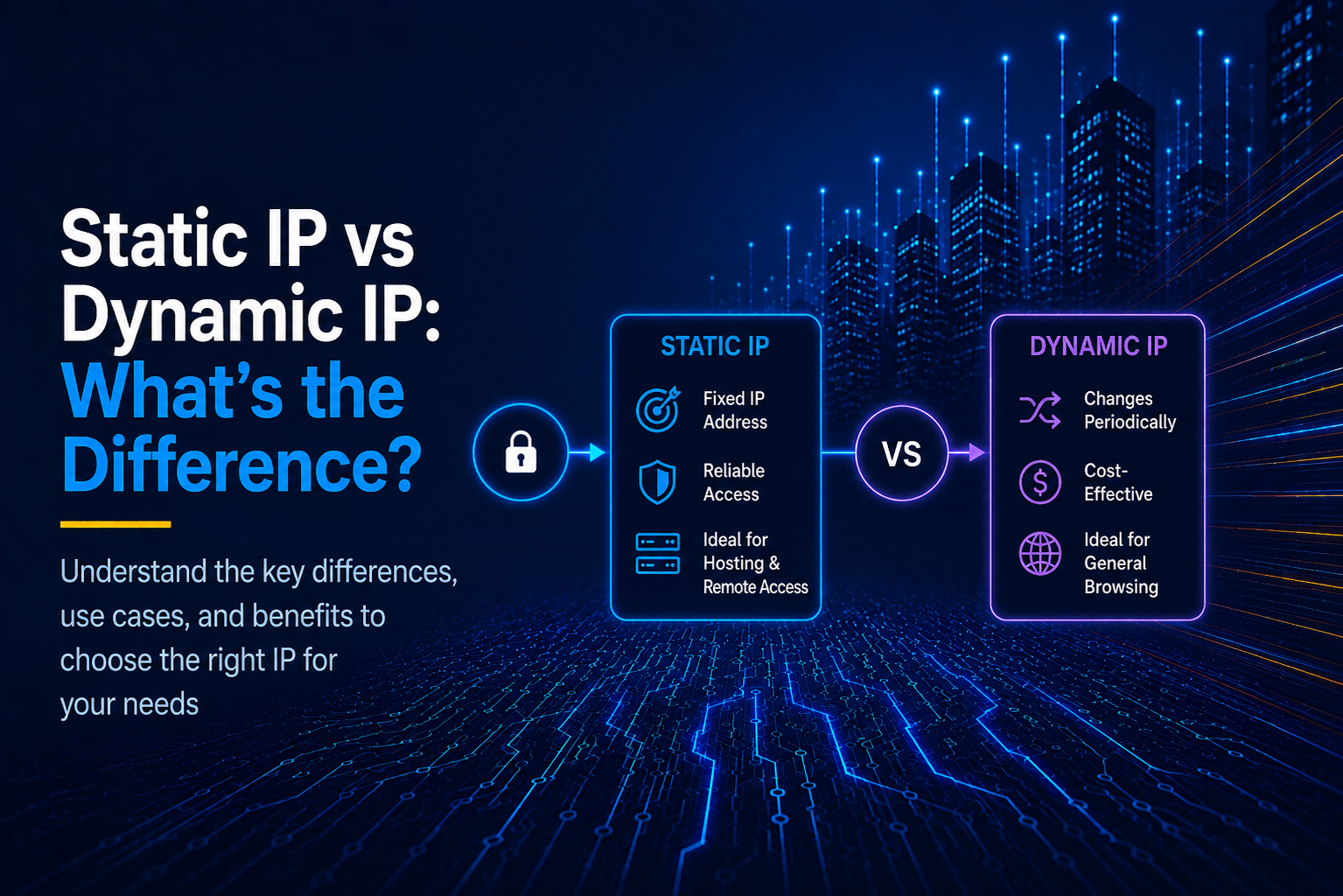
A static IP address is an assigned IP address that never changes on its own. It's typically assigned by your network administrator or your ISP. A dynamic IP address is typically assigned by your network router or ISP's DHCP (Dynamic Host Configuration Protocol). It automatically changes often. Static IPs are best for configuring IP-based access controls and other network devices that need fixed addresses to function reliably, such as printers and cameras. Dynamic IP addresses work best for everyday browsing needs as they are cost-effective for the ISPs to provide. They also provide a degree of privacy as users can't be mapped to a specific IP address.
What is a static IP address
A static IP address is a fixed IP address assigned to your device or network interface by your ISP, cloud provider, or a proxy service. It can be changed only by manual reconfiguration and will never be automatically reassigned. Having a dedicated IP address that devices use on the network makes it easy to identify them. This type of identification is typically required for connecting to a device, such as a printer or a camera. Or it may be required to verify a connecting device by its IP address, as in the case of remote server access or whitelisting API access.
What is a dynamic IP address?
A dynamic IP address is an IP address that keeps changing. It is typically the default option with most ISPs and cloud providers. Without having to reserve fixed IP addresses for every machine, it's possible for service providers to rotate a common pool of IP addresses between the network connections, assigning them any available IPs on demand. While this works out cheaper, it can break network configurations that identify devices or applications by their IP addresses.
Static vs Dynamic IP: Key Differences
| Static IP | Dynamic IP | |
|---|---|---|
| Device Addressability | Easy fixed address | Address keeps changing |
| Cost | Can be more expensive | Typically no additional cost |
| Network Configuration | Manual but stable | Automatic but can break some specific configurations |
| Privacy & Security | IP is fixed and sometimes public, making it an identifier | IP keeps changing, can't be used to identify anything |
| Best For | Servers, hardware devices without a UI such as printers and cameras | Most consumer devices such as PCs, phones, tablets, and smart TVs |
Do you need a static or a dynamic IP?
When do you need a static IP?
You need a static IP when certain network components need to have a fixed IP address. Firstly, the fixed IP address might be used to discover the network component (call a service or access a device using its IP address). This is common for configuring the local area networks in homes and offices to connect to devices such as cameras, printers, and personal media servers. If you are hosting websites, it's easier to point your domain name to the fixed IP address of your hosting server to make your site visible on the internet.
Second, a fixed IP address may also be used to verify the identity of an incoming connection (to allow only a certain IP address to access something). This is commonly required for implementing IP whitelisting for internet applications and their components such as APIs, build servers, and internal services.
When the dynamic IP is enough
For most home use cases, such as browsing, streaming movies, accessing your email service, and sending messages, a dynamic IP is sufficient. This is the default with most ISPs, and it's also cheaper compared to static IPs. Moreover, there is also the added benefit of privacy because your IP address keeps changing and your actions on the internet are not tied to a specific IP address. Dynamic IPs are sufficient for most business use cases too, unless you have to host websites/apps or implement IP address-based access controls and restrictions.
How do you get a static IP address?
Get a local static IP for home network devices
To get static internal IPs for devices in your home network, you can typically configure that via the router's admin interface. To do this, first you need the MAC addresses of all the devices you want to assign static IPs for. These could be your printer, security camera, a voice assistant, or a media server, in addition to your regular devices such as phones, laptops, and tablets. Next, you log in to your router's admin panel and look for a section that says something like "LAN setup" or "DHCP reservation" or "Static IP". The exact instructions vary by router manufacturer and model, but most routers generally assign dynamic IPs and allow you to configure static IPs for certain devices.
Get a static IP from your ISP
To get a static IP for accessing the internet from your ISP, you would need to contact them or upgrade to a higher-tier plan that assigns you a static IP address. ISPs typically provide static IPs for businesses and the plan may be known as "business tier" or similar. IP addresses (specifically IPv4) are limited in supply, so ISPs charge you more to reserve a particular IP address for you.
Get a static IP for applications, APIs, and cloud workloads
If you're running applications, APIs, or other tasks on cloud servers, you might need a static IP address to be whitelisted for accessing a partner API service, or just to implement IP-based access control for internal components such as build servers. However, most cloud providers assign you a dynamic IP address (known as ephemeral IPs in this context). Depending on your exact architecture, the difficulty of obtaining a static IP varies.
Obtaining a static IP for a single virtual machine (AWS EC2, Google Compute Instance, DigitalOcean droplet, Hetzner servers, etc.) is typically easier than the rest. It just involves changing a single setting. With advanced configurations such as Kubernetes or serverless architectures such as Lambda functions, this gets cumbersome to set up using the cloud provider's system. With Platform-as-a-Service (PaaS) providers such as Vercel, Netlify, Lovable, and CI/CD pipelines such as GitHub Actions, a static IP may not be available at all or only available for a certain premium tier. In all of these cases, it is easier to use a dedicated proxy service that routes your application's outbound network requests through a fixed IP address. OutboundGateway is one such service offering static outbound IP addresses based in the EU.
Static vs dynamic IP and data residency
IP addresses typically vary by geographic location. To comply with laws such as GDPR, app developers need to know where and how their users' data is being transmitted and stored. If you already have an assigned static IP for your application and you're hosting your app in the EU region, your users' data likely isn't going anywhere else unless you have a 3rd party service hosted elsewhere.
Next, let's say you have a dynamic IP from a cloud provider or a PaaS. Your backend system might still fall under the EU if you simply select that as your hosting region with your platform. But, with this, you might use an outbound proxy that may not be based in the EU just to make some network calls with a static IP. Then, the data may be transmitted through a proxy service that is not based in the EU, which might lead to additional compliance requirements. OutboundGateway solves this problem by providing EU-based proxies for your services to make outbound network requests.
How to check if you have a static or a dynamic IP?
On PCs and phones
On PCs and phones, you'd typically have two IP addresses: one is the local IP assigned by your WiFi router for all connected devices. The other is the public IP address that your connection actually uses to connect to everything on the internet. To check if you have a fixed public/internet IP address, you can visit a site such as What's My IP and note down your IP. Then restart your router, or wait for a few days and check the site for your IP again. If it has changed, you surely have a dynamic IP, and if it hasn't, you might have a static IP. You can only confirm that you have a static IP if your ISP tells you that they have provided one.
For local IPs, to check if you have a static IP on Android or iOS, you can go to the WiFi section of settings and check if it's manually assigned or automatically allocated by DHCP. On macOS, you can check this at System Settings > Network > WiFi > Details > TCP/IP. If there is a mention of DHCP, you have a dynamic local IP. If it's manually assigned, then you have a static IP. For Windows, run the ipconfig /all command on your command prompt. If the output says that DHCP is enabled, you have a dynamic IP, otherwise you have a static IP.
On cloud servers and dev platforms
For typical cloud servers such as AWS EC2 or Google Cloud Compute, IP addresses are dynamic or ephemeral by default. To obtain static IPs, AWS requires attaching an elastic IP to the EC2 instance. On Google Cloud, you can reserve a static IP address for your compute instance. The IP address of the running instance is always shown on the console and you can check if it changes, especially between server reboots.
For serverless environments such as Lambda functions and Cloud Functions, or automated deployments using Kubernetes, it is not easy to configure static IP addresses. You can make a network request from within the function/environment to https://outboundgateway.com/ip/ and monitor the response for the IP address:
$ curl https://outboundgateway.com/ip/
{"ip": "122.172.XX.XX"}
It would typically change within hours, unless a static IP is configured. With developer platforms such as Vercel and Netlify, static IPs are not available unless you have signed up for a specific plan or purchased an add-on. You can check if you've bought these. Otherwise, just monitor the IP address over a period of time from within the environment by making an outbound call to an API that returns the IP.
Choosing the right IP type for your use case
Static IP addresses give you stability and control over the exact IP address. Dynamic IP addresses are convenient and cheaper but keep changing, and also offer some degree of privacy. For most consumer use cases, a dynamic IP should suffice for connecting to the internet. For app developers, a static IP is required to implement security practices such as IP whitelisting. If your hosting provider or cloud platform does not give you a static IP or it is difficult to configure one, you can use a service such as OutboundGateway to get a proxy with a static IP address for outbound network requests. You can sign up for a free trial to try it now.
Built with ❤️ for EU businesses who care about privacy and sovereignty.
Frequently Asked Questions
Is a static IP safer than a dynamic IP?
Safety with static or dynamic IP depends on the context. For software applications and servers, a static IP enables you to implement security measures such as IP whitelisting. Otherwise, having a fixed IP identifies and possibly exposes your system by that IP address. A dynamic IP address can't be reliably associated with a system and hence offers better security and privacy.
Is a static or dynamic IP better for gaming?
For most games, a dynamic IP works. You might need a static IP for hosting game servers or configuring network connections in some multiplayer games. You might want a static IP for tournaments if it helps keep your connection super stable.
Can I switch from a dynamic IP to a static IP?
Yes, for consumer connections you might have to contact your ISP to upgrade your plan or give you a business tier. This typically costs more. For cloud applications, some platforms and providers offer an option to have a static IP. If this is difficult to configure or is not provided, you can consider an outbound proxy service that gives you a static IP.
Does a VPN give you a static IP?
VPNs do not offer a static IP by default, and your IP address can change every time you reconnect to the service or change the VPN location. However, some VPN services do offer a static IP as a premium offering if you need one.
How do I get a static IP for my app without a new ISP plan?
To get a static IP for your app without a new ISP plan or paying a premium to your cloud provider, you can use a dedicated outbound proxy service such as OutboundGateway.
Is a static IP more expensive than a dynamic IP?
Yes, static IPs are generally more expensive than dynamic IPs for most consumer use cases and application hosting requirements. This is because IPv4 addresses are very limited in number, and it is cheaper for providers to rotate a pool of IP addresses for all their clients at random rather than reserving IP addresses for each connection.