Table of Contents
- Why Airtable automations break on IP whitelisting
- The architecture: a small middleware in front of your whitelisted API
- Set up the example Airtable base
- Create the Airtable automation
- The middleware: a FastAPI proxy on Railway
- Frequently Asked Questions (FAQs)
Why Airtable automations break on IP whitelisting
Airtable automations fail when external APIs require IP whitelisting.
Because Airtable runs on shared AWS infrastructure, its outbound IP addresses rotate constantly. There is no single IP you can give an IT security team to allowlist. One day your automation works; the next day a new AWS IP shows up, the firewall blocks it, and your data sync silently breaks.
IT security teams won't, and shouldn't, allowlist all of AWS' IP ranges. Airtable itself doesn't give you static IPs for your scripts, even though the community has been asking for a feature that would solve this problem.
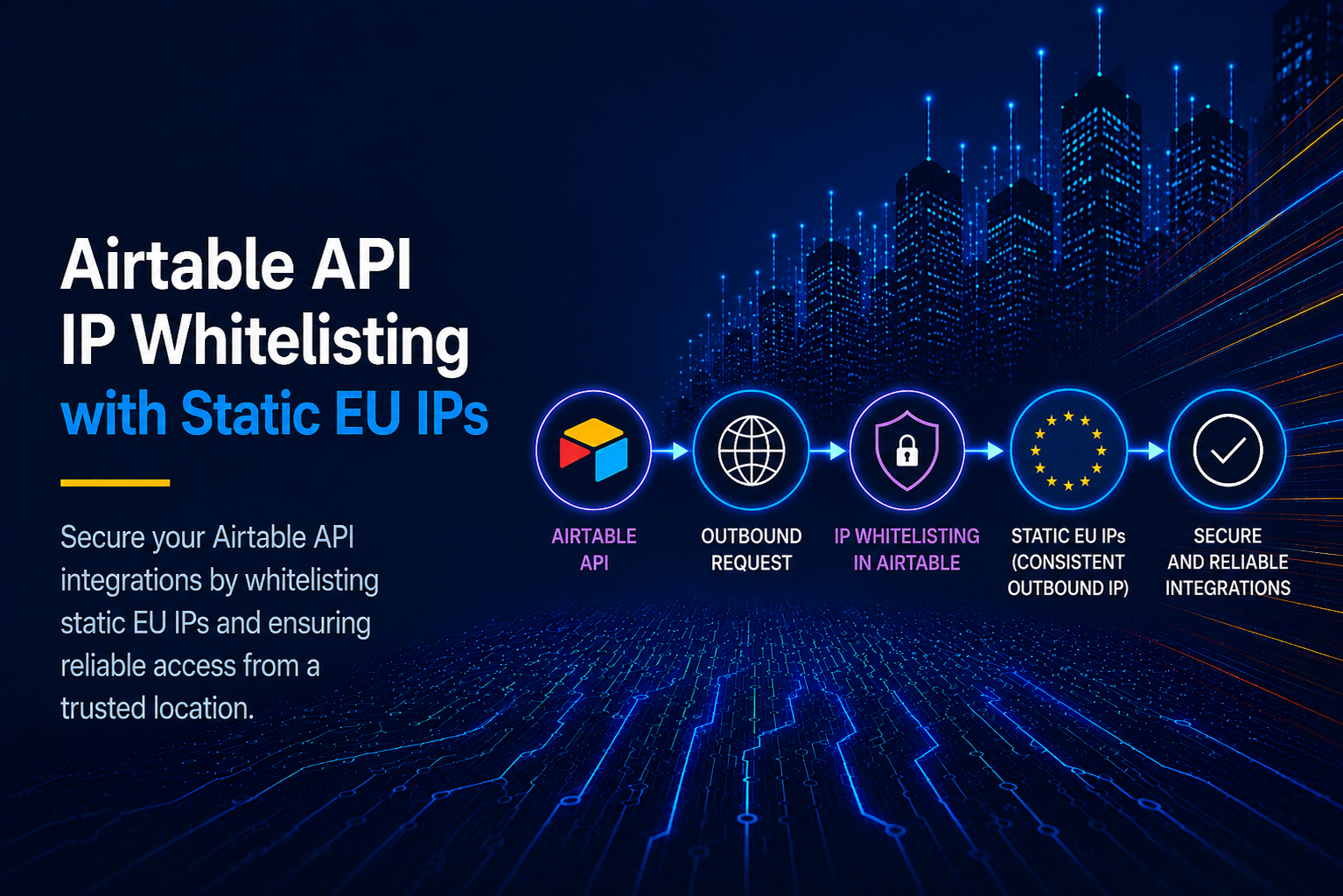
The best current solution is routing your outbound requests through an EU static outbound IP proxy like OutboundGateway.
The architecture: a small middleware in front of your whitelisted API
To make your Airtable scripts use a stable IP, use this architecture:
The reason a middleware is needed is that Airtable's coding component uses a heavily stripped-down version of JavaScript that doesn't give you access to lower-level networking controls such as proxy configuration. The middleware handles that part instead.
Set up the example Airtable base
To help you visualize how this works, you can register and open an account on Airtable (skip this if you already have one), and use a simple prompt to set up an example project.
For this example, create a simple database with a couple of columns:
- Name
- Status
- Returned IP
- Raw response
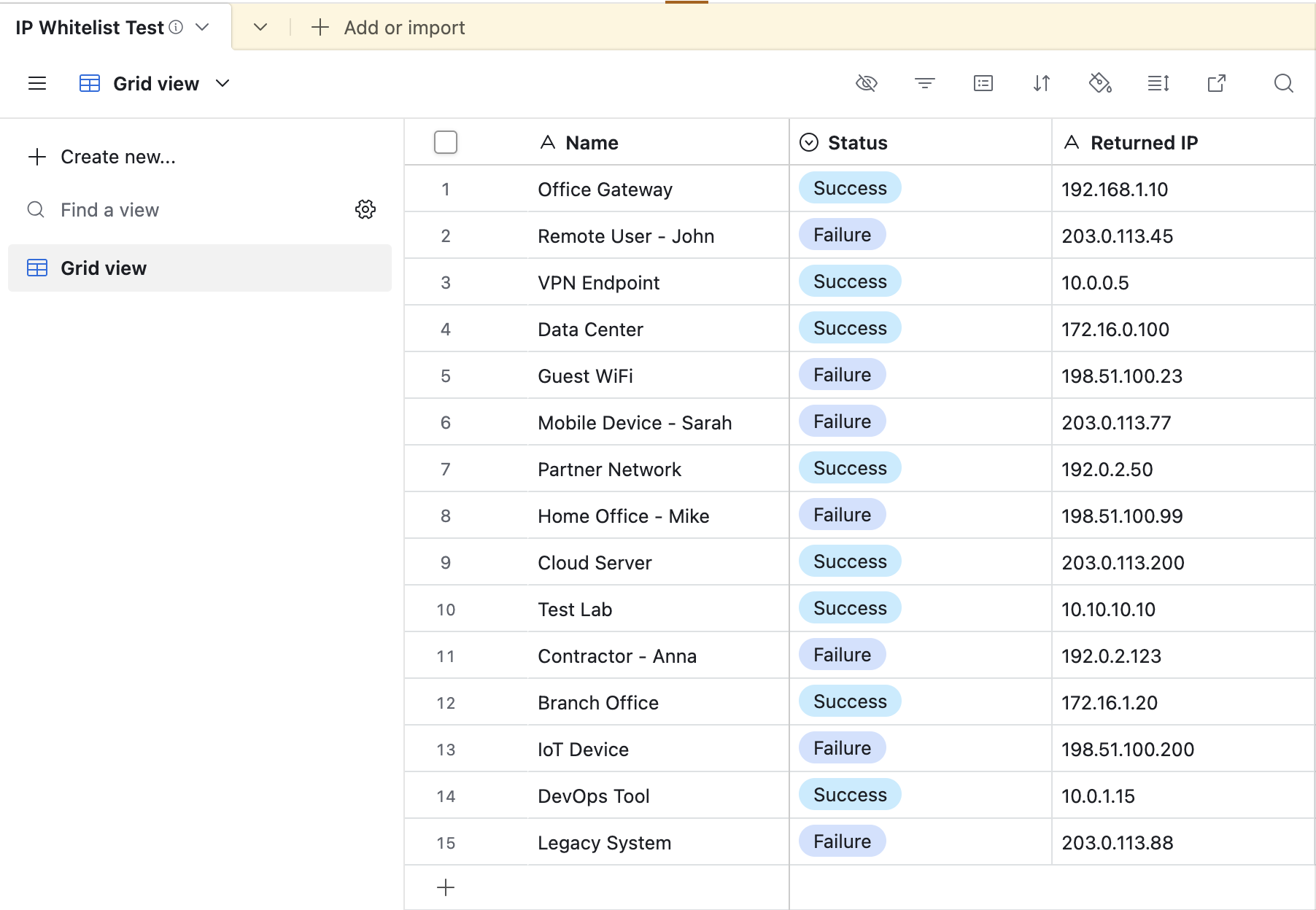
Create the Airtable automation
Next, create the Airtable automation. In Airtable you can run a script in two ways:
- Through Airtable Automations
- Through a plugin called Scripting (an extension), which is good for testing out scripts.
It's important to note that only Airtable Automations give you true automation, because they can run a script entirely automatically in the background based on real-time data events (currently available on the Airtable Business tier).
So, open the example database (named test_db here), select the Automations tab, and do the following:
- Automation → Trigger: "When a record matches conditions" (Condition: Status is "Pending").
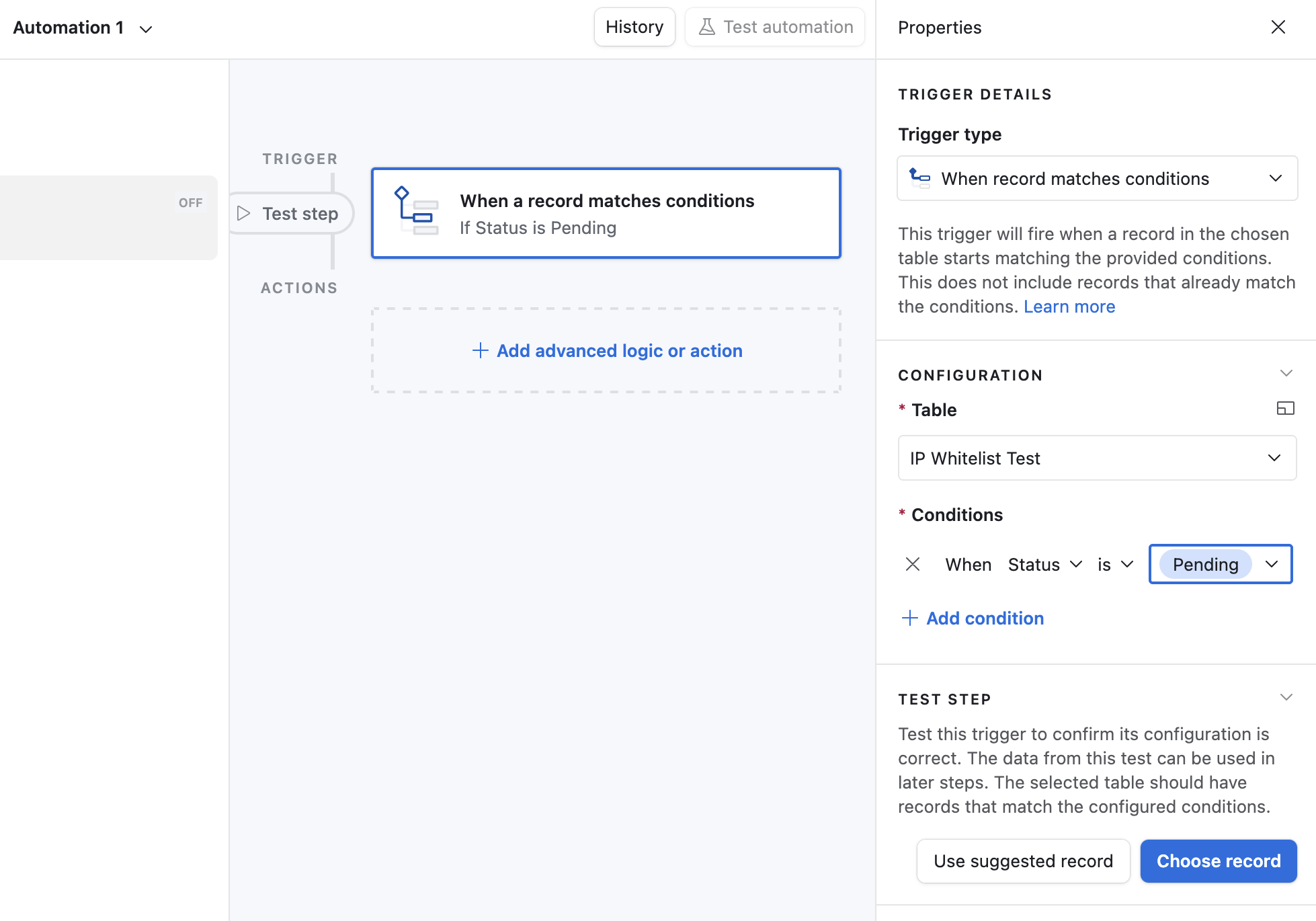
- Action: "Run a script" (this is the most reliable way to handle custom routing and headers in Airtable). Note that Airtable currently supports only JavaScript in automation scripts.
After you set up the trigger, click "Add advanced logic or action", choose "Run script", and paste this code snippet:
let table = base.getTable("IP Whitelist Test");

// This automatically grabs the record that triggered the automation
let record = await input.recordAsync();

if (!record) {
    return;
}
// change the proxy url to where ever your hosting your middleware script (railway, render, vercel etc)
const proxyApiUrl = "https://foobar.up.railway.app/proxy";


try {
    let response = await fetch(proxyApiUrl, {
        method: 'POST',
        headers: { 'Content-Type': 'application/json' },
        body: JSON.stringify({ "record_id": record.id })
    });

    let data = await response.json();

    if (response.ok) {
        await table.updateRecordAsync(record, {
            "Status": { name: "Success" },
            "Returned IP": data.ip_used
        });
    } else {
        await table.updateRecordAsync(record, {
            "Status": { name: "Error" }
        });
    }

} catch (error) {
    await table.updateRecordAsync(record, {
        "Status": { name: "Error" }
    });
}
As a side note, if you want to install the Scripting extension for testing: click the Marketplace (lower-left corner), search for "Scripting" in the extension field, click "Add", select your base (database), and then click "Add extension" again (it takes a moment to install).
The middleware: a FastAPI proxy on Railway
Per the architecture above, since the main code can't run inside Airtable, you run a Python FastAPI script on an external service and have Airtable talk to it. For this example, host the FastAPI script on Railway.
A ready-made reference project is available on GitHub at OutboundGateway/railway-fastapi.
The only thing left is to define a couple of environment variables in your Railway project. The most important is OUTBOUNDGATEWAY_URL, which holds the connection details for the OutboundGateway proxy. You can find your account details on the OutboundGateway dashboard after you sign up.
When you run the Airtable script, it contacts your middleware, in this case the FastAPI API hosted on Railway (it could equally be Node.js, PHP, or anything else). The middleware proxies its requests through OutboundGateway to obtain its static IPs, and finally all requests reach the whitelisted service you need to call.
That's pretty much how you get a static outbound IP for your projects on Airtable.
Built with ❤️ for EU businesses who care about privacy and sovereignty.
Frequently Asked Questions (FAQs)
Why can't I give my IT team a single Airtable IP to allowlist?
Because Airtable runs on shared AWS infrastructure, its outbound IP addresses rotate constantly, and Airtable doesn't expose a fixed IP for your scripts. IT security teams won't allowlist all of AWS, so the reliable fix is to route Airtable's outbound requests through a static outbound IP proxy like OutboundGateway, which gives you two fixed EU IPs your partners can allowlist once.
Why does this setup need a middleware service at all?
Airtable's scripting component uses a restricted version of JavaScript with no access to low-level networking controls, so you can't configure a proxy directly inside an Airtable script. A small middleware service (a FastAPI app on Railway, Render, Fly.io, or similar) sits between Airtable and the whitelisted API, applies the proxy, and forwards the request with a stable IP.
Can I host the middleware on something other than Railway?
Yes. The middleware can run on any service that can host a small web app and run a language runtime with an HTTP client that supports proxying, such as Render, Fly.io, Scalingo, Clever Cloud, or Vercel. In practice this means a runtime like Python (with requests or httpx) or Node.js (with https-proxy-agent), and you set the OUTBOUNDGATEWAY_URL environment variable so the client routes its outbound traffic through the OutboundGateway proxy. Railway is used in this guide as a concrete example, but any platform meeting those two requirements works.